Time & attendance and HR in the cloud, made in Mexico
For plants, retail, offices and public institutions: Qrono connects your time clocks to the cloud and turns every punch into attendance, time-off records and pre-payroll ready for your payroll system. Punches arrive on their own, automatically and securely, with no changes to your network.

0 days
free trial
No changes
to your network or your time clocks
0 %
of fingerprints stay on site
CONTPAQi
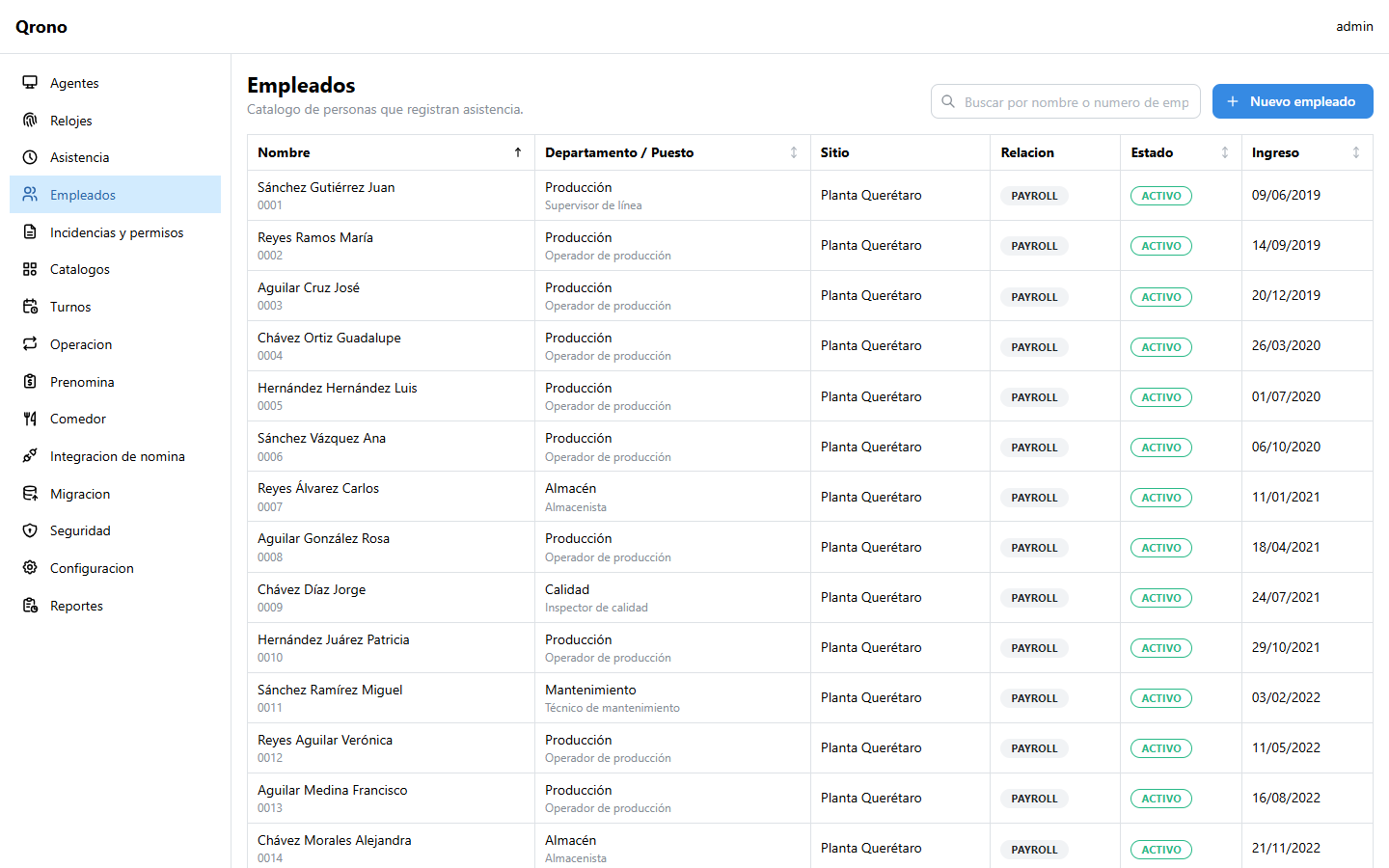
import employees and export time records
From the time clock to payroll, without typing anything twice
Qrono replaces the system installed on a local server with a cloud service your HR team uses from the browser, built for what real operations demand: rotating and night shifts, contractors, and multiple branches or plants.
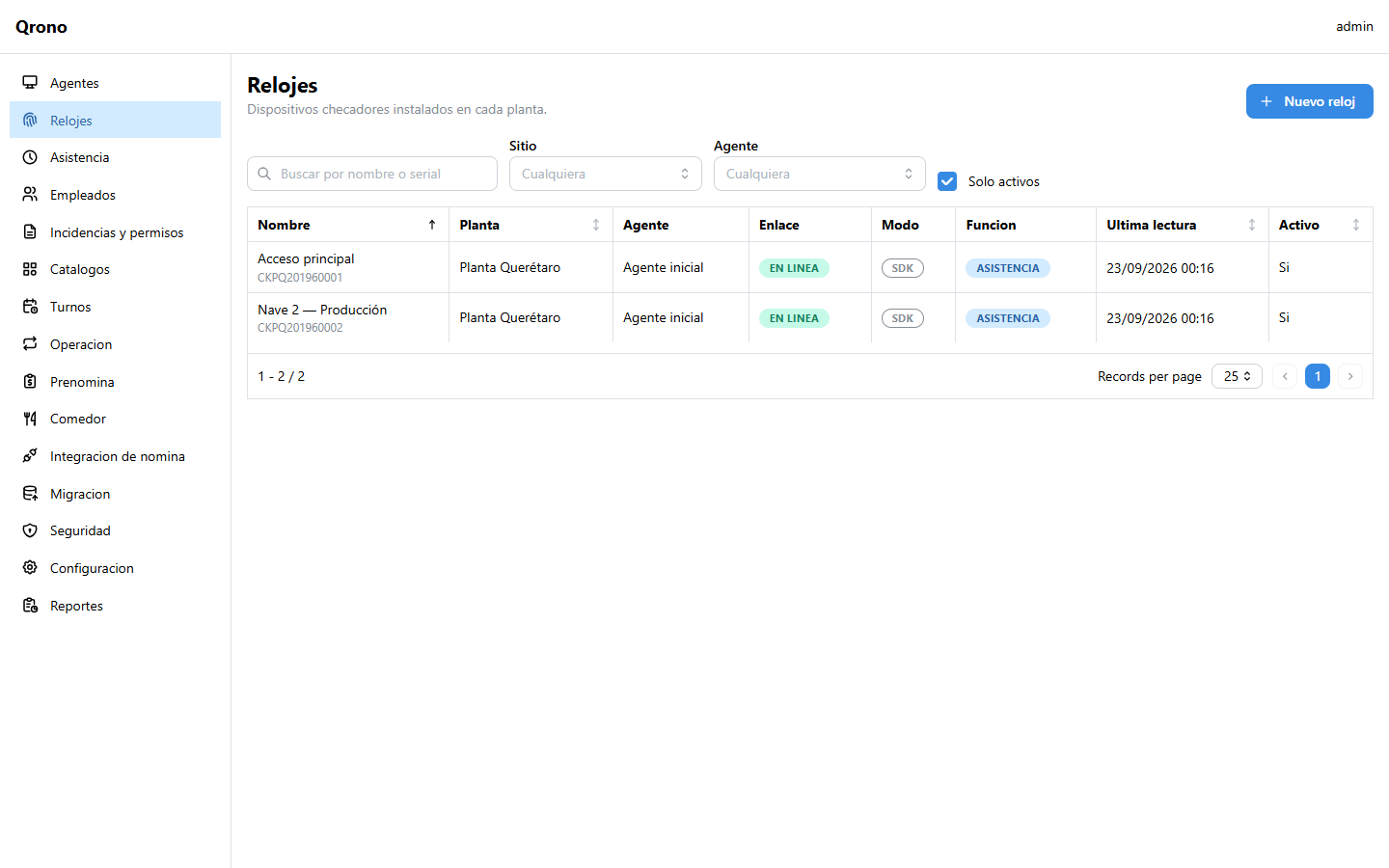
Time clocks
An agent on your network reads your ZKTeco clocks and sends the punches to the cloud. If the internet goes down, it stores them and sends them once it's back.
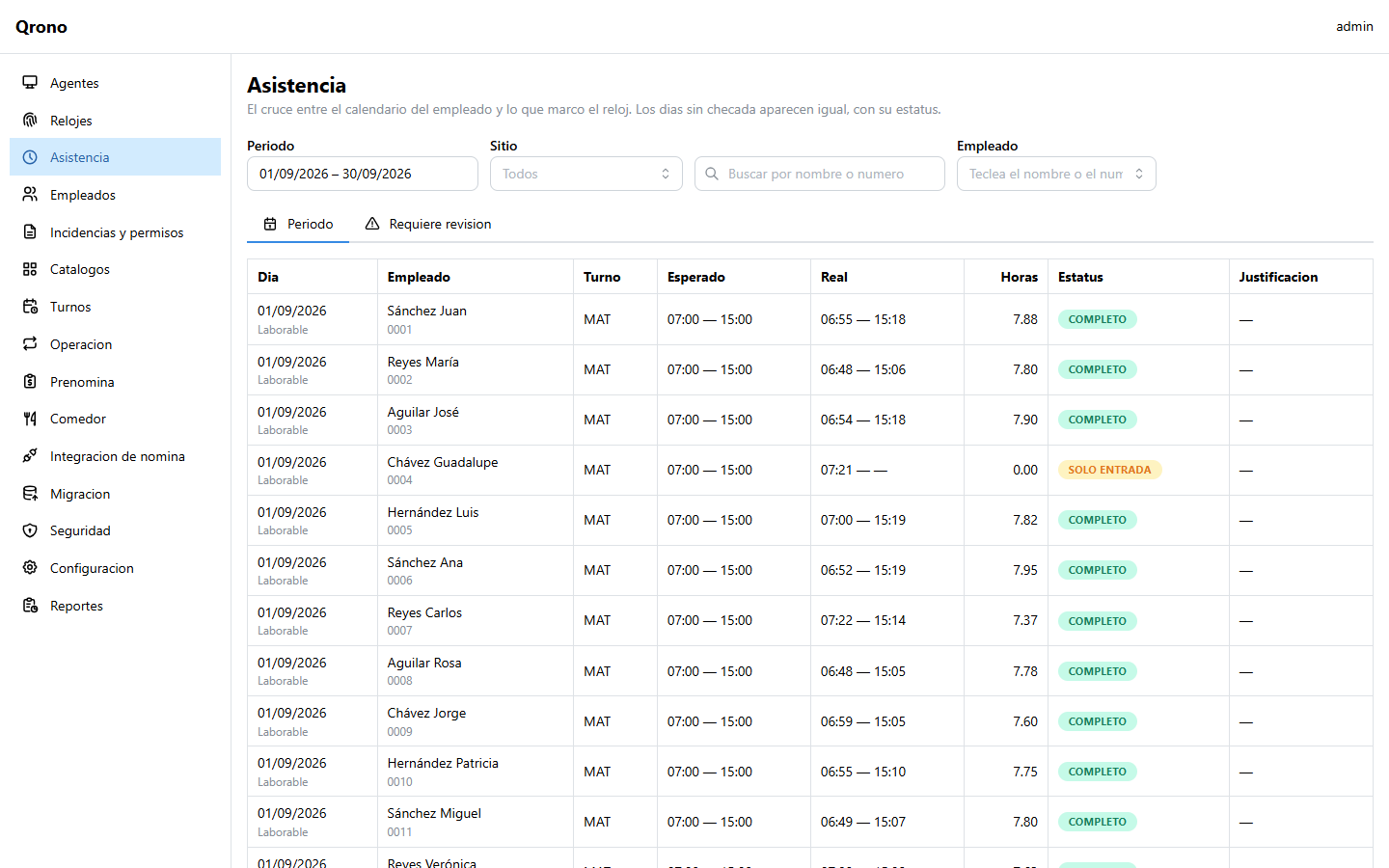
Daily attendance
Late arrivals, absences and missed clock-outs are calculated automatically. HR reviews doubtful cases in an inbox and corrects them with a reason and an audit trail.
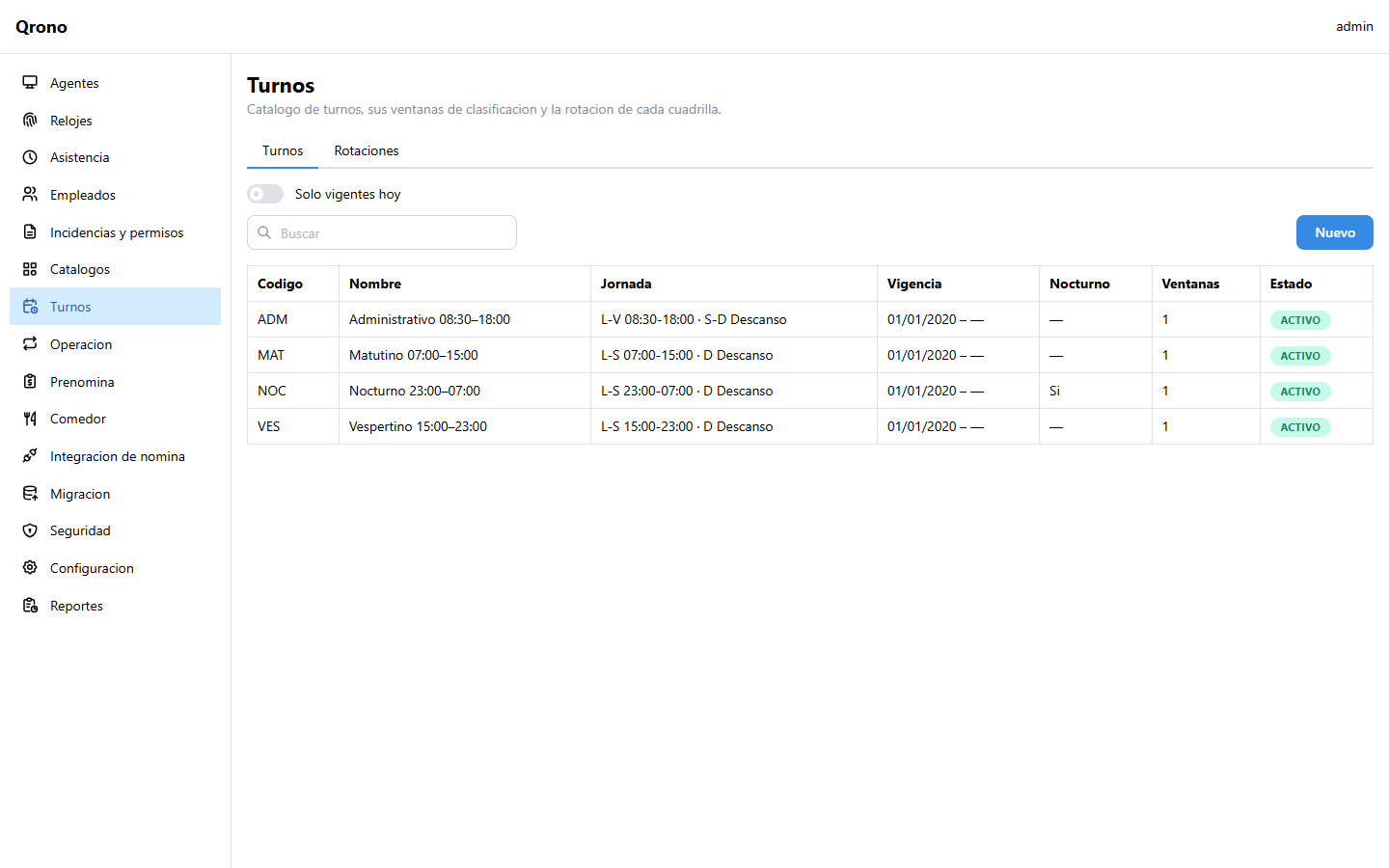
Shifts and rotations
Shifts that cross midnight, weekly rotations, shift swaps and a projected calendar for each employee.
Time-off and leave
Vacations, leave, sick leave and overtime with authorization and batch approval, showing each employee's balance.
Pre-payroll
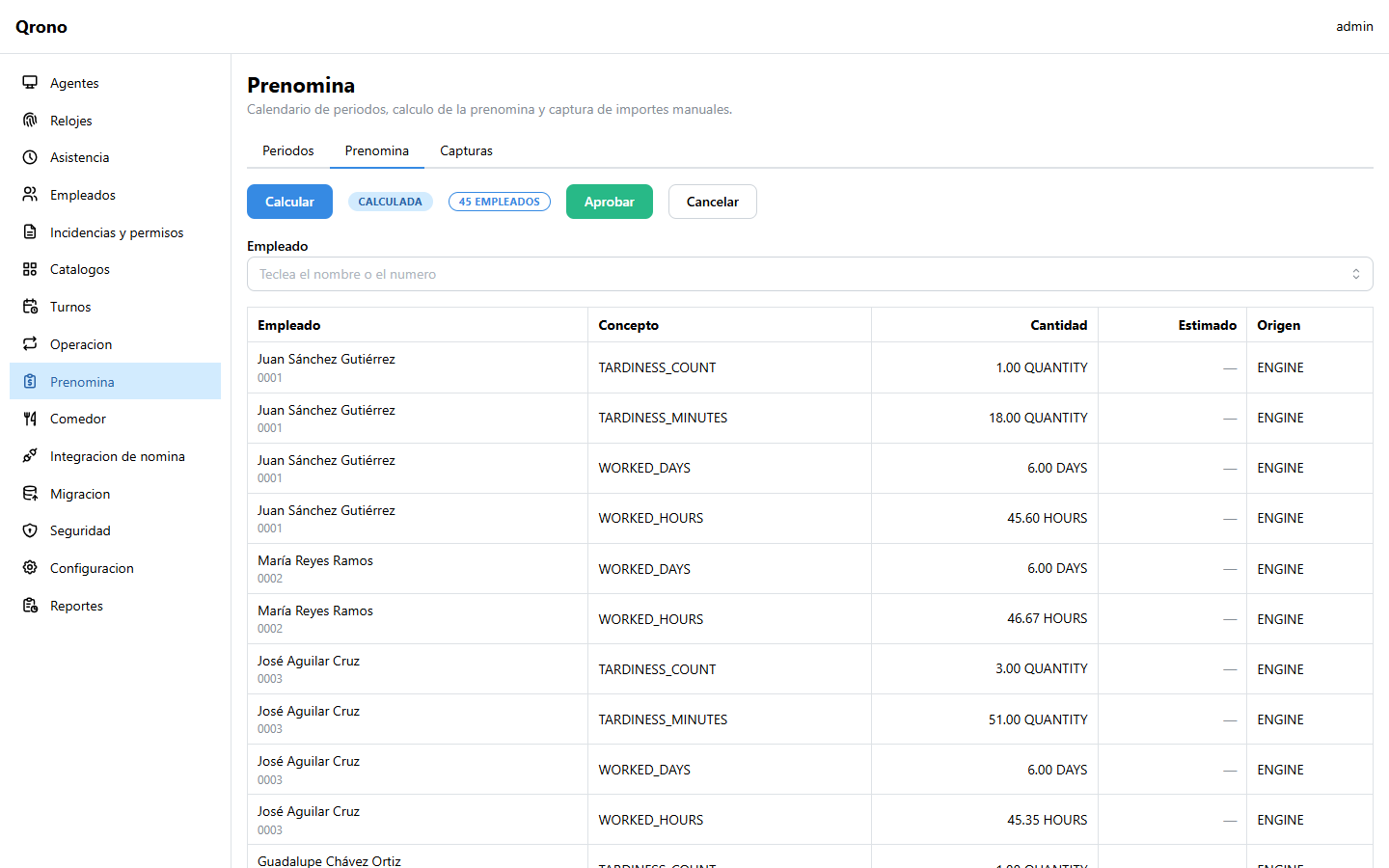
Weekly, biweekly or semi-monthly periods. Rules have effective dates: recalculating a past period gives exactly what was paid.
CONTPAQi integration
Import employees with a preview and export time records as quantities, not amounts, so your payroll always balances.
Cafeteria
Terminal with reader and printed ticket, eligibility rules, guests and reconciliation. It keeps working even without internet.
Roles and audit log
Role-based permissions scoped by plant or department: each supervisor sees their own people. Every change is logged.
Reports
Attendance, absenteeism, punctuality, overtime and more, with a visual designer to match your own format.
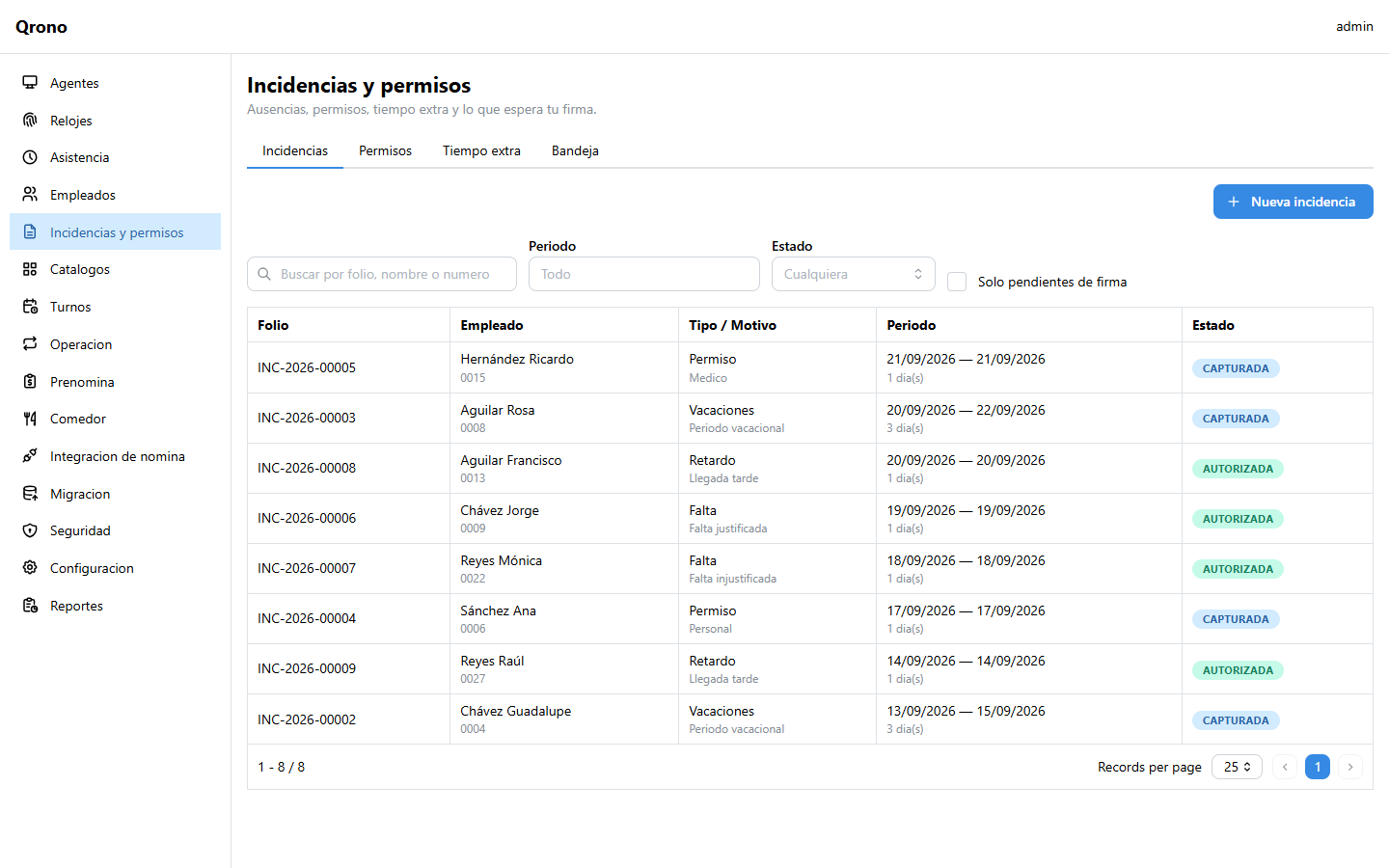
Every punch counts, and none gets lost
Punches are stored exactly as they came from the clock and are never duplicated, even if the agent resends them. Attendance is recalculated from them when a shift or rule changes, but a correction made by HR is never overwritten by a recalculation.
Create your workspace and connect your first time clock today
Pre-payroll
Close the period in minutes, not days
Qrono brings together the period's attendance, time-off and overtime into a pre-payroll that HR reviews and approves. Then it exports the records to CONTPAQi; if you don't have payroll connected yet, it also works on its own.
How it works
Your time clocks stay where they are. A small program on a server or computer in your network reads them and sends the punches to the cloud securely, without changing anything in your network or your equipment.

1. Create your workspace
Choose your company's address, such as acme.qrono.cloud, and set your password from the confirmation email.
2. Connect your time clocks
Install the agent on a server or PC in your network, link it with a code and register your time clocks. It updates itself.
3. Review and pay
Review the day's attendance, authorize time-off, close the pre-payroll and export it to your payroll system.
Pay for what you use, no surprises
You subscribe by active-employee tier (10, 50, 100, 200 or 300) and by a 1, 3, 6 or 12-month term. No overage fees: you know the price of the term from day one.
Free trial
To get to know Qrono
30 days free
- Up to 10 employees
- 1 plant and 1 agent
- Attendance, shifts and time-off
- CONTPAQi import and export
- Cafeteria
Attendance
For a single plant
By tier
- From 10 to 300 employees
- Attendance, shifts, time-off and pre-payroll
- CONTPAQi integration
- Reports and department roles
- Cafeteria as an add-on
Multi-plant
Tailored to you
Let's talk
- Multiple plants and agents
- More than 300 employees
- Migration from the previous Qrono
- Priority support
- Employee portal Coming soon
Request your free trial
30 days with up to 10 employees, no credit card. Choose the address your team will use to sign in to Qrono.
Frequently asked questions
Can't find your answer? Write to us and we'll get back to you soon.
Write to usTime clocks and setup
Account and payroll
Want to see it with your own data?
Book a demo and we'll help you connect your first time clock.